Automatic mileage log for iPhone

Mileage that
logs itself.

Save your work sites once. DK Mobile notices when you leave one and arrive at the next, records the miles, keeps your commute separate, and builds the reimbursement report for you.

Coming soon to the App Store · then $49.99/year

0 taps
to log a drive
76¢/mi
IRS rate, by date driven
3 years
of records kept
0 servers
your data stays on your phone
How it works

Set it up once.
Then just drive.

01

Save your places

Add home, your office and the sites you visit — type an address or tap “use my location.” Up to 19 places, each with its own radius.

02

Drive like normal

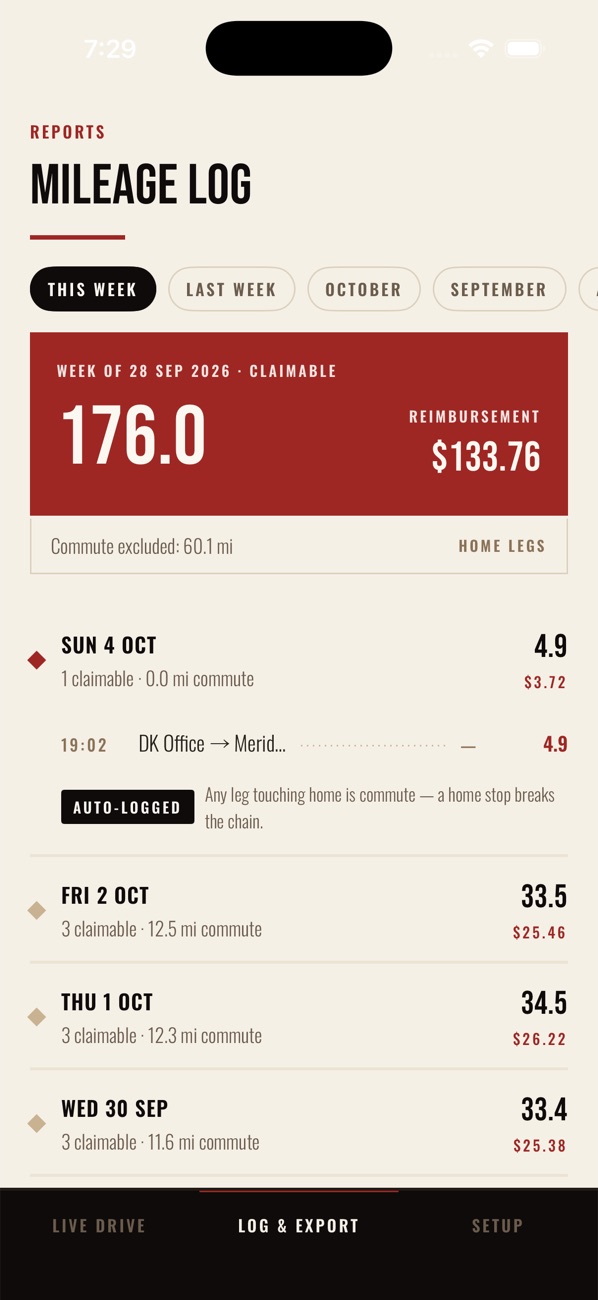
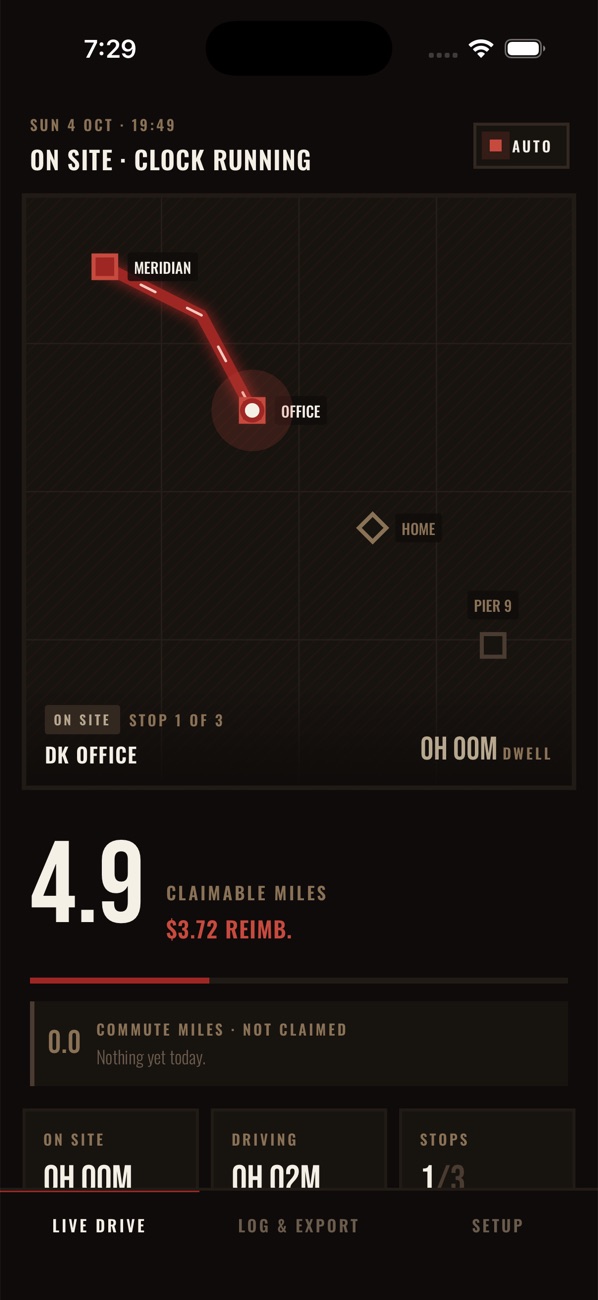
Leave a site and GPS starts measuring; arrive at the next and the drive is logged. Trips to and from home are recorded as commute and never claimed.

HomeOfficeSite
03

Send the report

Pick a month, the last 3 months or any dates. Get a ready-to-sign PDF or an Excel file and email it straight from your phone.

What you get

Built for people
who drive for work.

Logs itself

Geofences around your places do the work, even with the app closed. Add or fix a drive by hand when you need to.

Commute kept apart

The drive to your first stop and the drive home are listed on every report, greyed out and never added to the claim.

IRS rate by date

Each drive is paid at the IRS rate in force the day you drove it — 72.5¢ through June 2026, 76¢ from July 1. Or set your company's rate.

Time on site

A separate report of every stop — arrived, left, how long you were there and the miles driven in — totalled by location and by day.

Easy on the battery

GPS only runs while you're driving between your places. Parked somewhere else, or tracking switched off? It stays off.

Private by design

No account and no sign-in. Your places and drives live only on your iPhone until you choose to send a report.

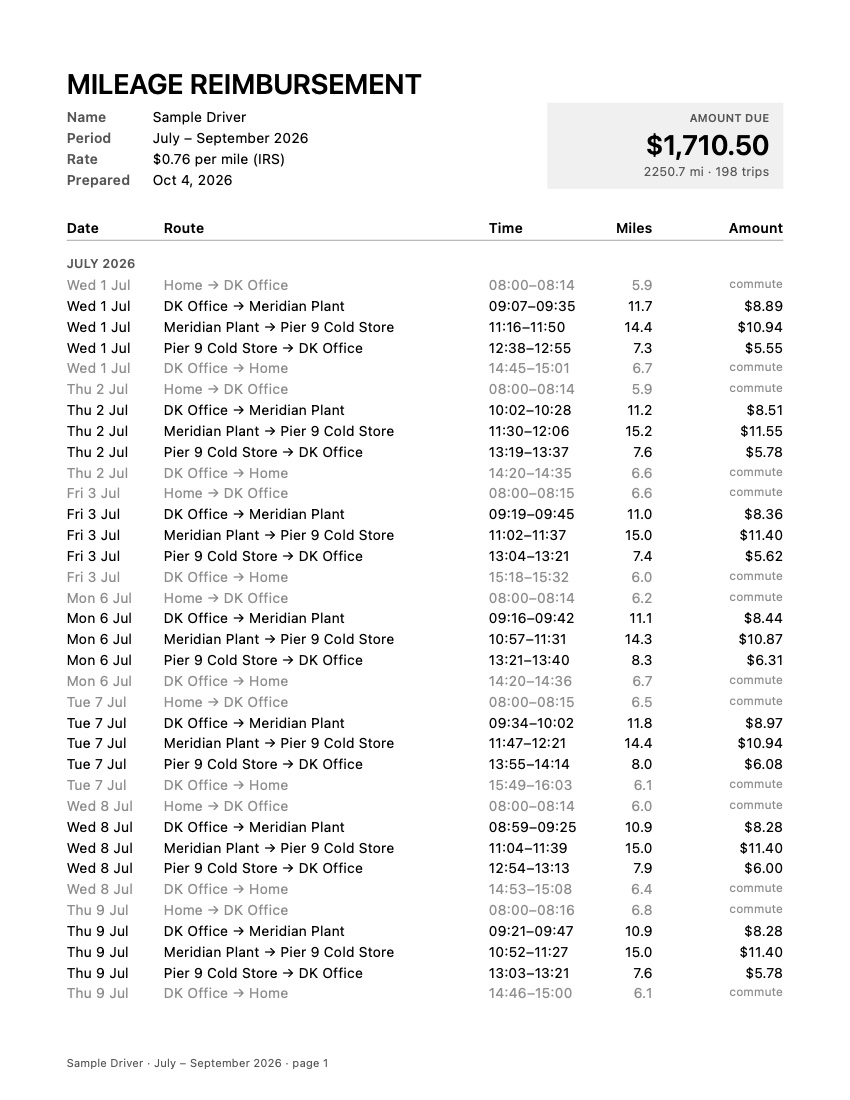
Sample DK Mobile reimbursement report for July to September 2026, $1,710.50 due
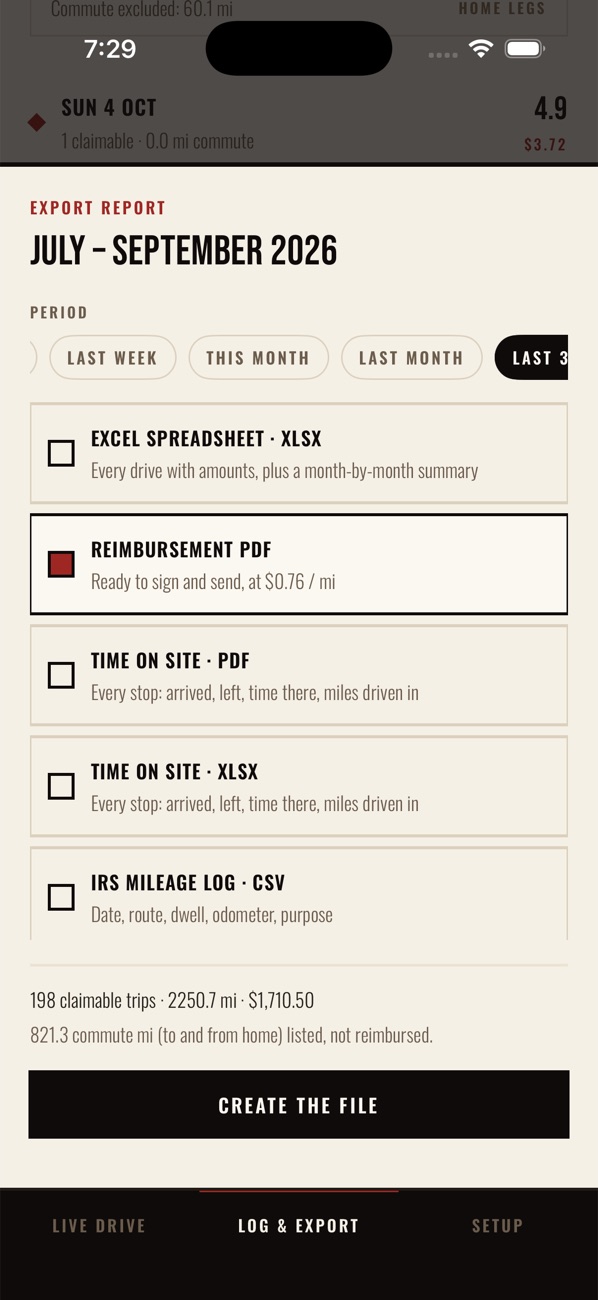
DK Mobile export screen with report periods and formats
Reports

The report writes
itself, too.

Every drive with times, miles and amount, monthly subtotals, the amount due up top and lines to sign. Ready to email to whoever pays you back.

  • Any periodThis week, last month, the last 3 months, year to date, any past month or dates you pick.
  • PDF or ExcelA clean PDF to sign, or a spreadsheet with a month-by-month summary.
  • Time on siteWhere you were and for how long, by location and by day.
  • IRS log & GPS tracesA CSV mileage log and raw GPS for audits.
Pricing

One price.
Everything in.

Try the whole app free for two weeks — long enough to log real drives and send your first report. After that it works out to about $4.17 a month.

Billed through your Apple ID. Cancel any time in Settings before the trial ends and you won't be charged. Renews yearly unless cancelled at least 24 hours before the end of the period.

DK Mobile · yearly
$49.99
per year
2 weeks free
  • Unlimited automatic drive logging
  • Reimbursement, time-on-site, CSV and GPX reports
  • IRS rate by date, or your company's rate
  • Three years of records on your phone
Questions

Good to know

Do I have to open the app to log a drive?

No. Give DK Mobile “Always” location access and it notices you leaving and arriving at your saved places with the app closed. Missed one — phone off, drove straight through? Add it by hand in seconds.

How does it handle my commute?

Any drive that starts or ends at the place you mark as Home is commute. It's logged with its miles so your day reads complete, but it's never part of the reimbursement total.

Which mileage rate does it use?

By default, the IRS business standard rate for the date of each drive: 70¢ for 2025, 72.5¢ from January 1, 2026, and 76¢ from July 1, 2026. If your employer pays a flat rate, switch to Company rate in Setup.

Will it drain my battery?

Watching your places uses almost no power. GPS only switches on while you're driving between them, and switches off when tracking is set to idle, on days you don't track, or when you've parked somewhere that isn't one of your places.

Who can see my locations?

Only you. There's no account and no server — everything stays on your iPhone until you send a report. See the privacy policy.

What do I need?

An iPhone running iOS 17 or later.